Category: Tech

The Current’s tech news keeps you upto date with news of new gadgets, tech updates, information about tech startups and technology reviews.

  • GTA 6 could be an improved version of GTA Vice City: Leaks

    GTA 6 could be an improved version of GTA Vice City: Leaks

    According to several tipsters, the upcoming game in the GTA series may be an improved version of the legendary GTA Vice City with superior visual enhancements.

    The upcoming Grand Theft Auto was announced in February when Rockstar said that work on the game was already underway and that it was going to be the best GTA ever.

    Rockstar declared its intention to “substantially move beyond” its prior accomplishments with GTA 6 back in February. The statement from Take-Two regarding establishing creative benchmarks is a little more direct. Undoubtedly, it has established the creative bar for creating a Guy Ritchie-inspired open-world videogame.

    That was all that was stated, and it’s probably not worth overanalyzing. The statement was potentially just an attempt to quell speculation after a Bloomberg story said to contain information on GTA 6, including the fact that it will have a female protagonist and take place in a fictionalised version of Miami. The veracity of the report has not been confirmed or rejected by Rockstar.

    According to Bloomberg, GTA 6’s scope has to be “reeled in” at a certain point, but since it will be updated with “new missions and cities on a regular basis,” it may return to its original magnitude after the game’s release. However, the report claims that GTA 6 will have more inside places than any prior GTA.

    Players may have noticed that Rockstar Titles always releases all of its big games in the Fall. GTA 4, which was published in April 2008, is the lone exception. We have four titles in the final two weeks of October, and three in November, if we set that aside. In light of this, we anticipate seeing GTA 6 released in the waning months of the ensuing years.

    Right now, Chris Klippel, a well-known GTA leaker, is the source of most trustworthy information regarding GTA VI’s release date. Klippel asserted in March that GTA 6 wouldn’t be available until the latter half of 2024. Later, Bloomberg reporter Jason Schreier backed this up in a different Twitter conversation and predicted release date of late 2024 or early 2025.

    We can expect the release of Grand Theft Auto 6 in October or November of 2024 based on these leaks as well as the prior release dates.

    Every GTA game has been launched on a Tuesday since GTA Vice City. There is no justification for using GTA 6 to break the trend as well.

    Additionally, the game is reportedly modelled on GTA Vice City. Therefore, it would be preferable to schedule the release of GTA 6 for October 29, 2024, if Rockstar Games really wants to honour how the franchise’s first game helped shape later instalments.
  • Twitter accused of profiting from leaking users’ private information

    Twitter accused of profiting from leaking users’ private information

    Twitter is allegedly giving user email addresses and phone numbers to marketers without their permission, which has put the social media giant in more legal trouble.

    The business admitted in 2019 that it may have utilised the personal data customers provided in exchange for a security feature for targeted advertising.

    Two Twitter users filed a proposed class action lawsuit against the social media platform on Thursday in a federal court in Northern California. Billy Moses and Christina McClellan, both of Texas, claim in the 38-page complaint that they would not have given Twitter their phone numbers and email addresses if they had known that the firm would utilise the information for targeted advertising.

    According to CNET, the lawsuit is the most recent repercussion Twitter is facing because of purported privacy infractions. Twitter reportedly violated the Federal Trade Commission Act and a 2011 FTC order by misrepresenting how it will use nonpublic user contact information, and in May, Twitter agreed to pay a $150 million fine.

    Users of Twitter have filed lawsuits against the social media site for violating their privacy in other jurisdictions, including Washington.

    Twitter urged users to enter their phone numbers and email addresses for two-factor authentication, an additional security measure, but failed to disclose that the information would be used for targeted advertising.

    Because marketers could utilise emails and phone numbers to determine a potential customer’s identity and learn about where they reside, what items they buy, where they shop, and other useful information, the lawsuit claims that Twitter made money off of this data without user consent.

    Due to the possibility of using phone numbers and email addresses to identify a person, there are additional hazards associated with their disclosure. According to the lawsuit, hackers may attempt to access a user’s social media accounts through email or gather other data in order to commit identity theft.

    Additionally, the corporation is said to have broken both its agreement with users and California’s Unfair Competition Law. At the time, Twitter’s privacy policy stated that while it doesn’t provide its partners access to user information like email addresses and phone numbers, it may link the data it supplies to other data if a user gives their approval to that partner.

  • Apple warns of security flaw that lets hackers take full control of iPhones, iPads and MacBooks

    Apple warns of security flaw that lets hackers take full control of iPhones, iPads and MacBooks

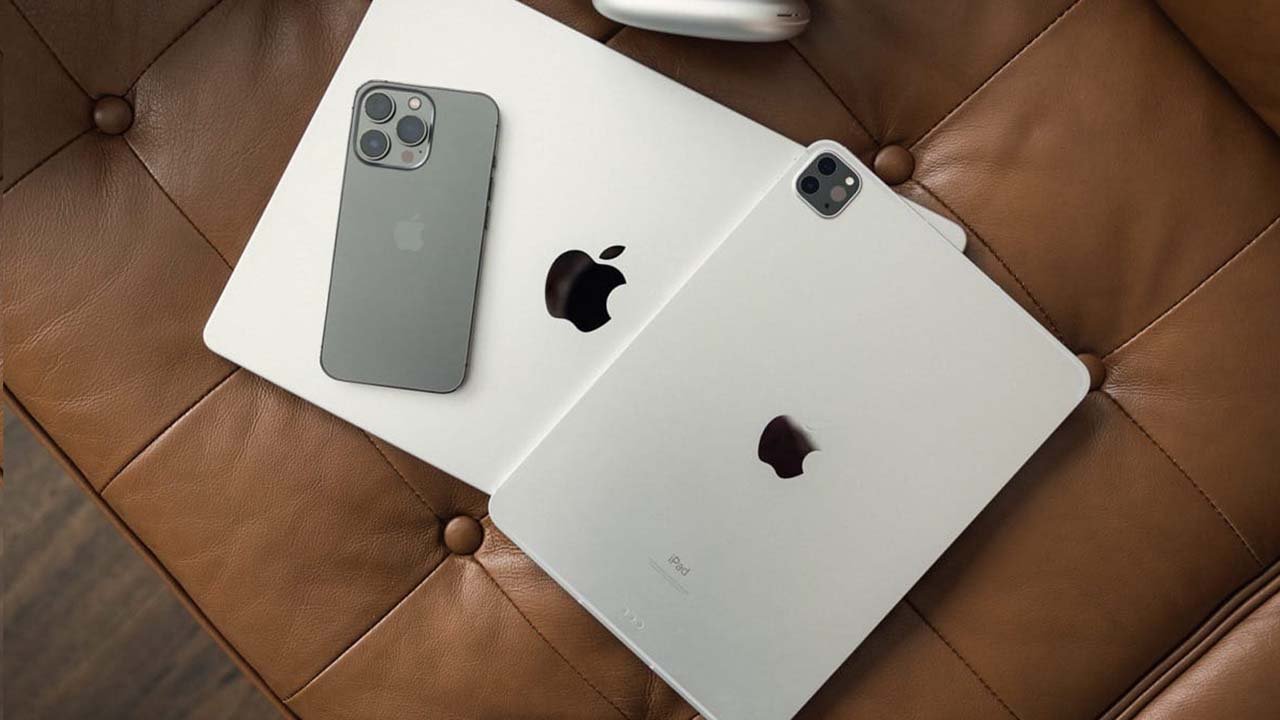
    To protect against two security loopholes that might let hackers take full access to a user’s iPhone, iPad, or Mac, Apple owners have been warned to update their products immediately.

    Apple stated that there are solid reports suggesting that hackers have already been taking advantage of the flaws in both cases to attack users.

    According to Apple, one of the software flaws affects the kernel, the most core component of the operating system used by all devices. The other has an impact on WebKit, the engine that powers the Safari web browser.

    By accessing the settings menu on a mobile device or the “about this Mac” menu on a computer, users of macOS Monterey can get the update.

    According to experts, a hacker could gain “complete admin access to the device” and “run any code as if they were you, the user,” according to Apple’s explanation of the vulnerability.

    People “in the public spotlight,” such as activists or journalists, who could be the focus of sophisticated nation-state eavesdropping, should pay special attention to updating their software, according to Tobac.

    The vulnerabilities were previously categorised as “zero-day” issues since a fix had been made available for them for zero days prior to the fix’s release. Such flaws are extremely lucrative on the open market, and cyberweapon dealers will pay thousands or even millions of dollars for them.

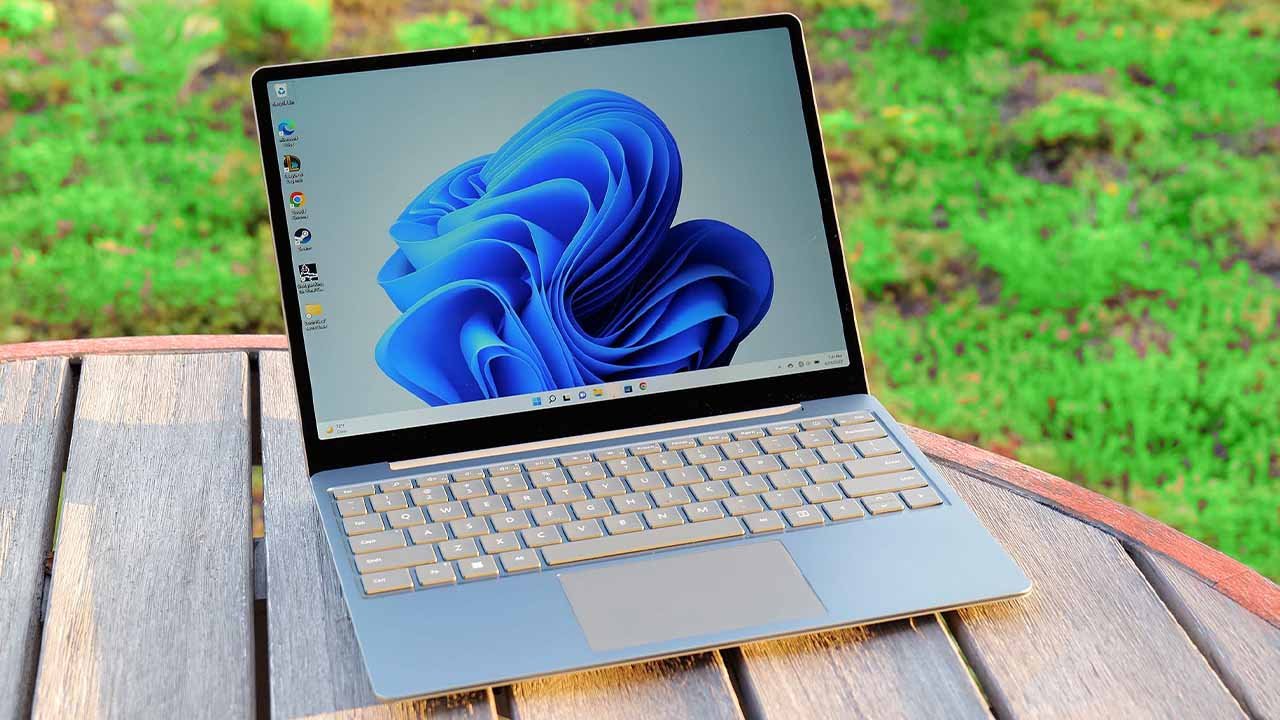
  • 5 best laptops to buy in 2022 for everyday use

    5 best laptops to buy in 2022 for everyday use

    The local market and online retailers both presently stock hundreds of laptops. Still, it can be difficult to find a new laptop that satisfies all of your needs.

    Before making a purchase, you must determine your requirements for your next laptop as well as how long you intend to use it.

    If you’re having trouble deciding which laptop best suits you, here are a few options available on the market:

    Apple MacBook Air

    Starting price: Rs289,000

    Everyone admires the graphics and functionality of MacBooks. Apple uses a retina display with a high pixel density, which makes it impossible for our eyes to distinguish between individual coloured pixels and instead causes everything to appear super tidy. Most artists prefer MacBook machines for just this reason, and the speedier M2 chip in the 2022 versions only makes it the best deal.

    The suggestion for keeping the weight in your bag low is the 13.6-inch MacBook Air, which comes in a stylish dark hue of space grey. Heavy-duty editing software is easily handled by an 8GB RAM, 8-core graphics processing unit. Apple claims that the battery life on a typical day will last up to 18 hours. However, with only two Thunderbolt ports (that handle up to 6K screens) and a headphone jack, be prepared for constrained connectivity.

    HP Envy X360 Convertible

    Starting price: Rs220,000

    The HP Envy x360 is the ideal laptop for students since it is tiny, incredibly light (1.30kg), and features a sturdy aluminium chassis. With the addition of an HP Pen for note-taking, this two-in-one gadget may be converted into a tablet at any time by rotating 360 degrees on its hinges. The 13.3-inch FHD display with micro-edge bezels strikes the ideal portability balance between a large laptop and a notebook.

    Enjoy the 11th Generation Intel Core i5 processor’s speeds, no-lag multitasking with 8GB of RAM, and 256GB of SSD storage space thanks to the system’s performance specifications. You can make your own study bubble in the library using additional cool features like the button-triggered privacy screen mode, mic mute, and camera shutter. Additionally, it has a wide range of connectivity choices, including a Thunderbolt 4 port and a microSD card reader, in addition to long battery life.

    Asus ROG Zephyrus G14

    Starting price: Rs300,000

    The best option for running heavy games and intensive CAD (computer-aided design) applications is a gaming laptop. The capable 16GB RAM and 1TB SSD storage of the ASUS ROG Zephyrus G14 are both supported by a potent NVIDIA GeForce RTX 3060 graphics card. Your rendering applications will therefore operate very quickly here.

    It can seem a little heavy to carry around since it is a gaming notebook, but that is to be expected from a machine with top-notch specifications. Using the integrated fingerprint reader, you can log in to your system instantly. You can also access independent HDMI and DisplayPort ports to view projects more clearly on a larger screen. The absence of a webcam is the sole negative aspect that some people might find unacceptable.

    Dell XPS 13 9305

    Starting price: Rs380,000

    The Dell XPS 13 Ultrabook, which maximises its 13.3-inch screen with almost no bezels, is another thin laptop to think about. Just know that, owing to 11th Gen Intel Core i5 CPUs, your study partner can manage all the demands of a hectic college student life. With 512GB SSD storage and 8GB of RAM, you can boot up and resume work in a flash, not to mention the fingerprint-integrated power button that grants you immediate access.

    Additionally, this model includes a 720p HD webcam. Even better, it includes two Thunderbolt 4 connections, each of which can accommodate up to two 4K displays. This is excellent for computing regular Word jobs and presentations.

    Lenovo Ideapad 5

    Starting price: Rs125,000

    Students looking for inexpensive solutions might look into Lenovo’s IdeaPad line. We chose the newest model, the IdeaPad 5, which is reasonably priced and boasts a massive 14-inch display and 16GB RAM. It is extremely quick for majors that require a lot of research because it is powered by an eight-core AMD Ryzen 7 CPU, which is compared to the more expensive Intel Core i7.

    Unless it recognises your distinct biometric signature on the power button, which grants access to only you and no one else, the laptop keeps sleeping. Long lectures won’t be a problem thanks to the all-day battery life; simply press the privacy shutter to permanently switch off the webcam. You can connect HDMI or DisplayPort cables to the device, or you can use the USB-C port with power supply to charge your smartphone.

    Note: Given that there are numerous models/variations, the price mentioned may differ slightly from market prices depending on the laptop’s specifications and features. Any product with a higher price may have modern hardware or improved specs as compared to stock/base variation.

  • Apple may launch iPhone 14 series on September 7

    Apple may launch iPhone 14 series on September 7

    Apple is planning to launch the iPhone 14 at its next product reveal event on September 7, according to Bloomberg.

    Finally, Apple fans now have a date to mark on the calendar as the tech giant generally hosts a major event in the first half of September.

    The event will be streamed live, just like the previous ones Apple has held during the COVID-19 pandemic.

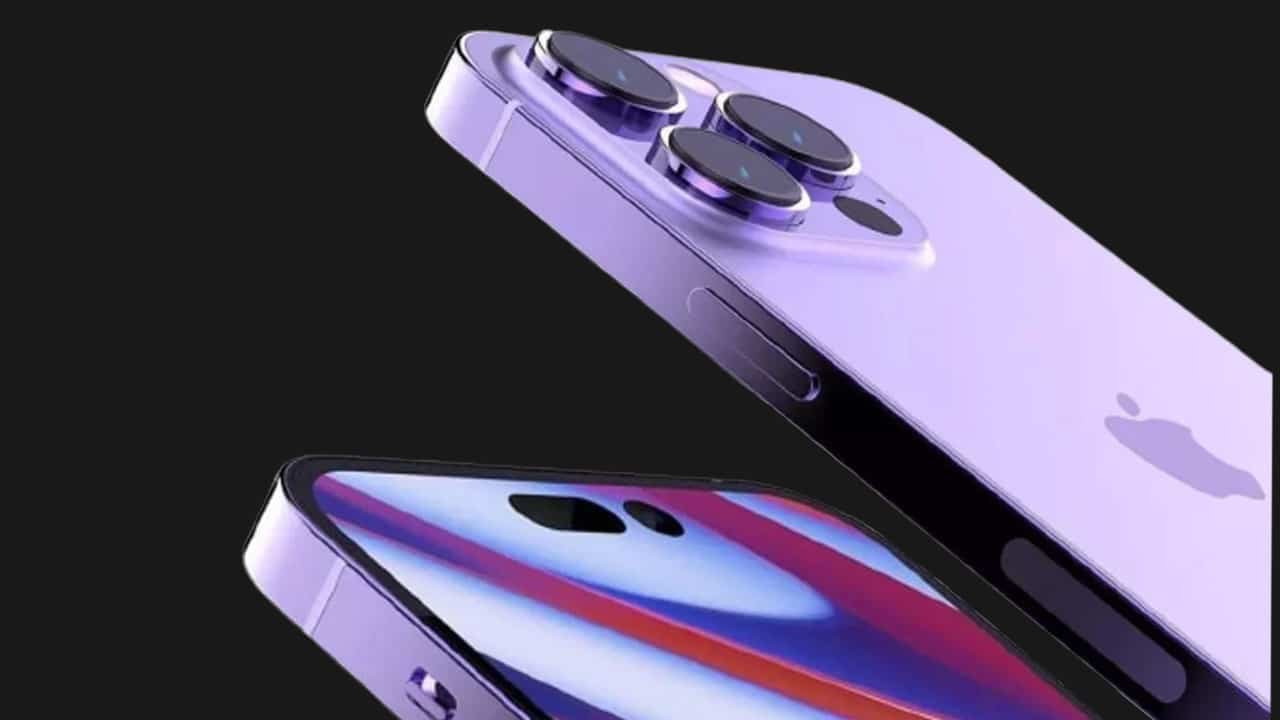
    The iPhone 14 lineup, which is supposed to comprise the standard iPhone 14, a new big-screen iPhone 14, an iPhone 14 Pro, and an iPhone 14 Pro Max, will reportedly be unveiled by Apple at the event.

    The Pro phones are reported to receive some of the more extravagant enhancements, including an always-on display, the newest A-series processor, and the removal of the notch in favour of a pill-shaped hole-punch cutout.

    The iPhones that are unveiled at the event have in the past gone on sale soon after. Store employees have reportedly been asked to get ready for a launch of some sort on September 16.

    You might want to get your wallet ready if you’re planning to upgrade.

    At the presentation, the Cupertino-based company is also anticipated to introduce new Apple Watch models, as well as an upgraded rugged model and an upgraded Apple Watch SE.

    Other products that Apple might unveil at the upcoming event include a new entry-level iPad without a headphone jack, the next generation of the AirPods Pro, which might support uncompressed audio, and more.

  • Here’s how to maintain iPhone’s battery health and charge faster

    Here’s how to maintain iPhone’s battery health and charge faster

    Although using a wall charger is the simplest way of charging a phone, there are a variety of other methods that might be either better or worse. The answer largely relies on the type of charger you use, the location where you charge it, and the settings and features you have enabled or disabled on your phone.

    These tips and methods will help you charge your iPhone effectively and efficiently so that it charges more quickly than previously. If you need to charge your iPhone faster and save your battery health, there are a few things you must know.

    How to charge faster

    A fast charger, which consists of a 20-watt power adapter and a USB-C to Lightning connector, is the quickest way to charge your iPhone. You can quickly charge your phone from zero to roughly 50 per cent battery in about 30 minutes if you have an iPhone 8 or later. You can fully charge it if you have an hour to spare.

    If you’re pressed for time, always use the fast charger since it can increase your battery by double digits with just 10 minutes of fast charging.

    Only the cable is now included when you purchase a new phone from Apple. However, you can still buy the company’s 20-watt power adapter from either Apple or online stores. Apple claims that other fast-charging power bricks are also compatible, although an iPhone 12 and later cannot be fast-charged without at least a 20-watt power brick.

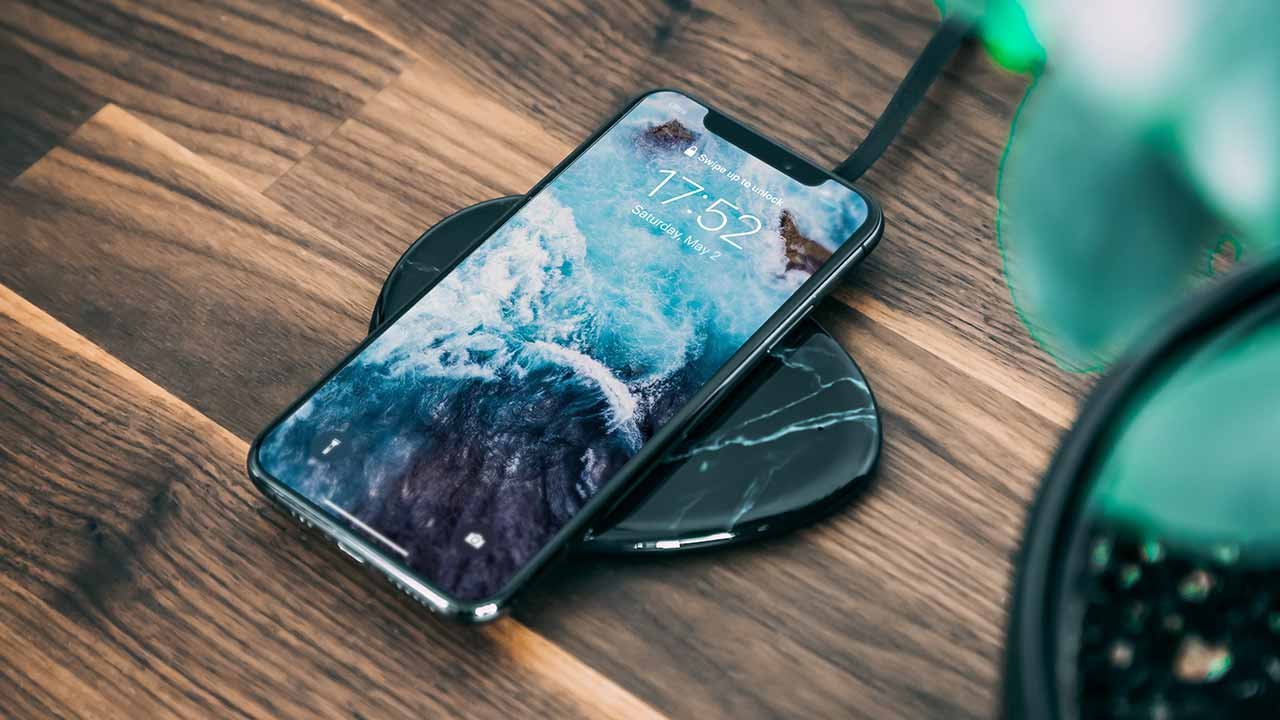
    Another way to charge your iPhone is using Apple’s MagSafe charger and a 20-watt power supply, but in order to take advantage of the faster 15-watt wireless charging, you must possess either an iPhone 12 or an iPhone 13. If your iPhone is dead, wireless charging should restore it to roughly 30 per cent battery in about 30 minutes.

    How to maintain iPhone’s battery health

    Charge at cooler places

    Batteries made of lithium-ion material are vulnerable to high temperatures. Apple has also disclosed the acceptable temperature range for iOS devices’ comfort zones.

    The suggested operating range is from 32°F to 95°F (0°C to 35°C). However, it is not practically feasible because many locations have temperatures that are far higher than the acceptable operating range. Therefore, to keep your phone warm, you may either use thick cases or keep it out of the sun on a hot day.

    Additionally, because it raises room temperature, avoid leaving your iPhone in enclosed areas with little airflow, such as vehicles. Many individuals leave their phones in the glove box or other hot areas of their vehicles, which elevates the temperature of the device. 

    Simply said, heat kills batteries because it permanently reduces their capacity. Extreme cold momentarily compromises the health of the battery.

    Please make sure to charge your iPhone in “comfortable temperature zones” as charging in high ambient temperatures is not advised.

    Do not let iPhone overheat

    Heat destroys batteries, as was previously indicated. Consequently, watch out that your iPhone doesn’t get too hot while it’s charging. Apple claims that unlike extreme cold conditions, which only temporarily lowers battery capacity, heat permanently damages battery capacity.

    The chemicals in the battery’s interior structure may alter due to heat, which could further harm the voltage indication. A malfunctioning voltage indication won’t be able to regulate the current flow to prevent overcharging of the iPhone, which will lead to battery and iPhone damage.

    Use original or certified chargers only 

    The use of charging accessories that are not approved by Apple is one of the most frequent causes of poor iPhone battery health. Always check to see if the adapter and charging cord are MFi approved.

    Made for iPod, Made for iPhone, and Made for iPad are together referred to as MFi. Apple only allows businesses to use the MFi branding on their products once they pass the company’s strict device and facility tests. Therefore, be sure to carefully check the charging accessories for the MFi logo.

    A tiny authentication chip, for instance, is present in each lighting cable adaptor and notifies the iPhone when it is MFi approved. When iPhone discovers a cable that is not MFi approved, it otherwise displays a pop-up.

    Enable Optimised Battery Charging

    With iOS 13, optimized battery charging was added, extending the life of your battery and enhancing its overall health. It makes predictions about when your iPhone will need to be charged for a longer amount of time using machine learning to learn from your everyday charging habits.

    For instance, many people have the practice of overnight charging their iPhones. In order to ensure that the iPhone is fully charged by the time you wake up, the machine learning algorithm will use data from previous charging and unplugging operations. This is done by the algorithm to ensure that the iPhone charges more quickly.

    When the function is activated, the scheduled time by which the iPhone will be fully charged is displayed. To immediately charge it to 100 per cent, select “Charge Now” from the menu.

  • Motorola X30 Pro is world’s first smartphone to use Samsung’s 200MP camera sensor

    Motorola X30 Pro is world’s first smartphone to use Samsung’s 200MP camera sensor

    The Moto X30 Pro, which debuted alongside Motorola’s Moto Razr 3, is the first smartphone in the world to have a 200MP ISOCELL HP1 sensor created by Samsung and a top-tier CPU.

    Unexpectedly, while having premium specs, the Motorola X30 Pro is not that expensive.

    The Moto X30 Pro sports a large sensor with 200,000,000 pixels. This is then combined with a unique Chameleon Cell technology that employs pixel binning techniques of 2×2 and 4×4. While the second combination produces more traditional 12.5MP photographs with larger individual pixels at 2.56m, the first combination produces 50MP images with 1.2m pixels. It is also possible to shoot with the full 200MP resolution, however the pixels will only be 0.64 mm in size.

    Three cameras are incorporated on the rear side. A 50MP ultrawide and a 12MP telephoto with a 2x optical zoom are available. A massive 60MP camera is used for taking selfies. The rear can record video in up to 8K resolution at 30 frames per second.

    The 6.67-inch OLED screen with 144Hz refresh rate and Snapdragon 8+ Gen 1 processor round out the low-cost flagship’s features. On the screen, Motorola features a fingerprint scanner. The base model comes with 8 GB RAM and 128 GB of storage, while the top-end variant features a memory configuration of 12 GB/512 GB.

    It’s intriguing to learn that the Moto X30 Pro is now the first phone in the world with a 200MP Samsung camera. On the other hand, it appears strange that it is being used for the first time by another brand and not a Samsung flagship.

    Motorola X30 Pro price

    In terms of cost, the Moto X30 Pro’s base model will cost for Rs120,000 ($550) in China. The most costly selection will set you back Rs146,400 ($670). It is currently up for pre-order. Although its global availability is not specified, given that certain Moto devices are marketed abroad, it’s possible that it will be released outside of China.

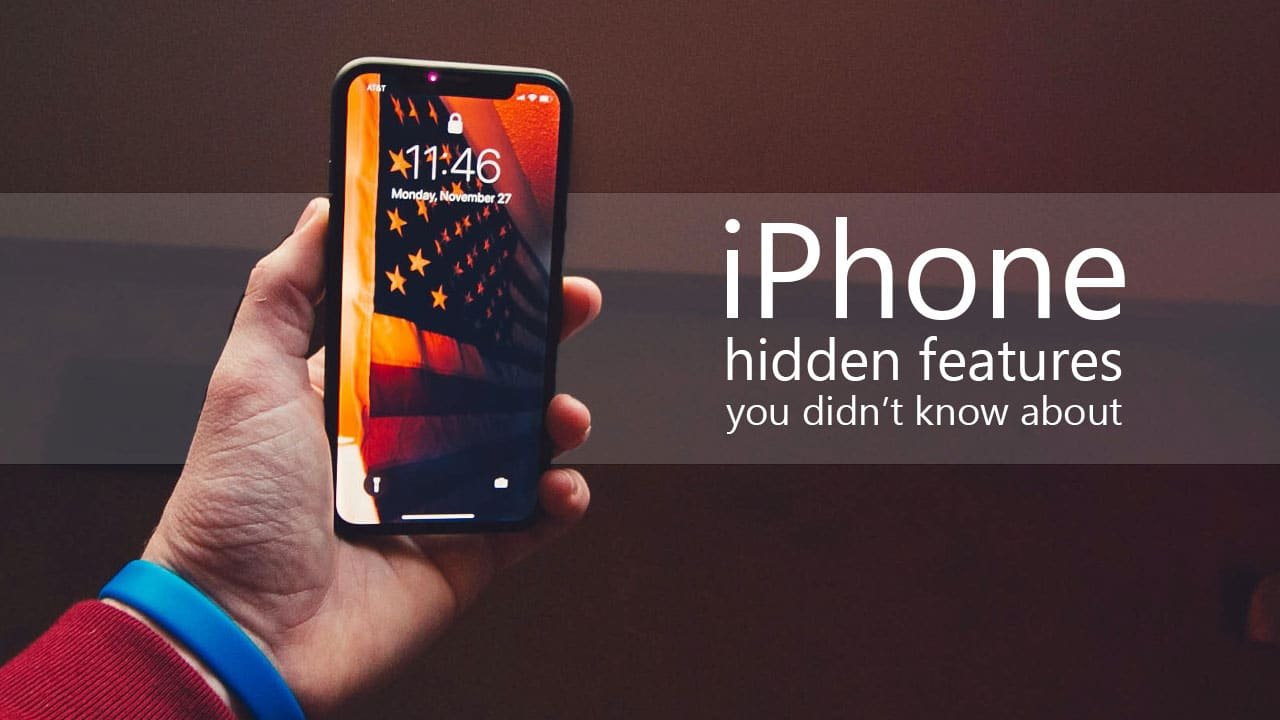
  • Top 5 secret iPhone features you must try

    Top 5 secret iPhone features you must try

    With numerous improvements from the previous model, Apple iPhones have gotten better every year. However, only a select few users are aware of the flagship’s full potential.

    Since the majority of people purchase iPhones for its camera, which captures fantastic images, there are a number of hidden features in the iPhone that people don’t utilise or perhaps aren’t aware of.

    Apple users need to know all of the features in order to benefit from the hefty price they have paid for their iPhones.

    Here are some fantastic hidden features iPhone users must try out:

    Enable Back Tap

    With Back Tap enabled, you can assign a range of different functions to both a double and a triple finger tap on the back of your phone, kind of like gestures on a trackpad. For example, you can use Double Tap for Torch and Triple Tap for Camera — these are both incredibly useful when your iphone at odd angles and can’t reach the lock screen icons or the Control Center pull down.

    How to enable back tap: Find Back Tap within the Accessibility > Touch > Back Tap and turn it on.

    Drag and drop files

    You can tap and hold on to the file you want to move, then drag it toward the top or bottom of the display. Then, while continuing to hold that file with one finger, you swipe up from the bottom of the screen with another finger and open the app you want to drag your file into. It’s a handy feature to have when you need to send an image or file via iMessage or WhatsApp.

    Use iPhone with a Mouse

    Despite the fact that very few people are aware of it, this feature comes very handy when you need to edit or draw on something while using your iPhone with a Bluetooth mouse.

    How to connect a mouse: Go to Settings > Accessibility > Touch > Assistive Touch > Devices and look for your Bluetooth wireless mouse to connect it.

    Share anything without holding your iPhone

    Siri sharing capabilities have been enhanced with iOS 15. You can use Siri to share whatever is on your screen with a contact rather than the more traditional method of tapping the share button. When you need to quickly share anything but don’t have free hands, it is advantageous.

    You can send a screenshot or a photo to a friend by telling Siri to “Hey Siri, send an image”.

    Hide ‘Hidden’ photos

    Despite the fact that iOS has long provided a mechanism to hide specific photos and videos, the absence of solid protection made it easier for anyone to find the Hidden Album. That’s no longer the case, though, as iOS 14 provides a better option to conceal the Hidden Album. Be sure to use this new feature if you no longer want all of your private images to be easily found by anyone.

    How to hide hidden album: Go to Settings > Photos > Hidden Album and turn it off.

    Read more: Leaks reveal iPhone 14 could be the best model ever

    The Apple iPhone is unquestionably one of the best phones currently on the market for its top-notch performance and smart features that makes it an excellent choice for customers who are not on a tight budget.

  • PC running slow? Here are some easiest fixes

    PC running slow? Here are some easiest fixes

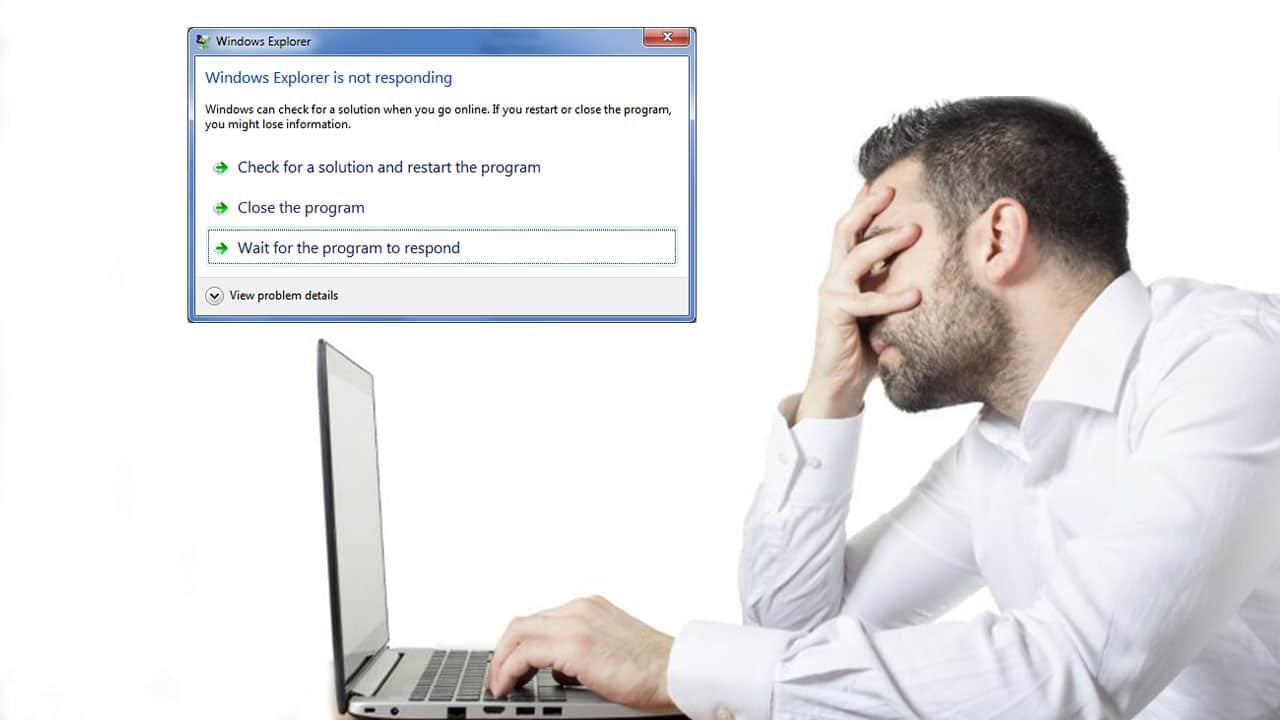
    A slow computer can make life much more difficult than it has to be, whether you’re using it for business or for entertainment. When you can hardly open a window, load a website, or even start up your system, slow performance speed can make your computer worthless.

    Spending a few minutes working through some tried-and-true troubleshooting procedures can make life easier if you’ve recently been experiencing issues.

    The following steps will help your PC perform smoothly:

    Delete unnecessary images or files.

    Sifting through the files and images on your computer might be overwhelming, but by deleting the ones you no longer use, you can speed up the process and prevent your computer from halting or crashing. Clearing out old images, erasing files on desktops, or moving huge files to online backup, are small and sensible methods to help your PC run quicker.

    If the process feels burdensome, break it down and take out 30 minutes each day to delete everything unnecessary. You may quickly identify any temporary files or apps sapping your PC’s storage.

    Get an external SSD/HDD

    If you take a lot of pictures, you might even want to think about external storage, like Portable SSD. It is ideal for safely saving a large number of your necessary high-resolution videos and photographs rapidly.

    Empty Recycle Bin

    Unwanted files will remain in the recycle bin after you have erased them because they are still there. You should routinely empty your recycle bin because it can be taking up space on your computer that could be better used elsewhere.

    The more capacity you have on your hard drive, the better your PC will perform. Your computer will also accumulate temporary files, but you may easily get rid of them. The steps are as follows for Windows 10 and 11:

    1. From the Start menu, select Settings
    2. Go to Storage
    3. Open ‘This PC’ and select the hard drive
    4. Click on Temporary Files
    5. Under Recycle Bin, click Empty Recycle Bin
    6. In Temporary Files, click Delete Temporary Files
    7. Under Downloads, select View Downloads and delete unwanted downloads

    Get more RAM

    You might need to add more RAM if your computer is displaying error warnings and files are taking a long time to load. Although this is distinct from the total amount of storage on your hard drive, adding more RAM will improve your computer’s multitasking abilities.

    Adding RAM can help if you frequently run many programmes at once (opens in a new tab). Installing at least 16GB and 32GB RAM from reputable manufacturers is a good idea. This will help in quicker startups, fewer delays, and smooth app switching.

    Install an anti-virus

    Malware infections can cause a computer to run slower than usual. Additionally, you can have unexpected pop-up warnings, a noisy computer, and erratically starting apps. However, the malware won’t always be so obvious.

    According to Microsoft, running anti-virus and anti-malware software and keeping it updated is the best way to deal with infections and harmful software. For instance, Windows 11 includes Windows Security, which will check your computer for viruses and other harmful software.

    Defragment disk

    In contrast to a solid state drive (SSD), a hard disc drive (HDD) stores data in discrete chunks across the disc. As a result of use and time, relevant data can become dispersed across the entire disc. When you start a software or app, the system then needs more time to locate each piece of data and put it back together for use. Your HDD’s defragmentation can expedite this procedure.

    Click the Windows button or Start menu, choose Control Panel, then System and Security to defragment your hard drive. Defragment your hard drive by selecting it under Administrative Tools.

    Since SSDs use a completely different technology than HDDs, they do not require defragmentation.

    Disable programs that auto-start

    On your computer, certain apps are configured to launch automatically when Windows does. Even though it’s not always simple to know which ones are active, having too many operate concurrently can cause delays.

    In order to prevent start-up apps from starting automatically, you must manually change the settings on your computer.

    Disable constant anti-virus checks

    You may have observed your system performing slowly when Task Manager was open, and that your antivirus programme frequently occupies a position towards the top of the list. While continually scanning your computer for viruses and malware, antivirus software can cause your system to sluggishly operate.

    Read more: 12 important things you need to know before buying a used iPhone

    Schedule your antivirus programme to run at times when you’re not likely to be using your computer, such as overnight or during your lunch break, rather than letting it scan whenever it pleases. Depending on the programme you use, you can modify the scan schedule.

    No matter what model or generation of PC you are using, by following these instructions you can significantly improve your PC’s performance. Unless you’re still on a Core 2 duo.

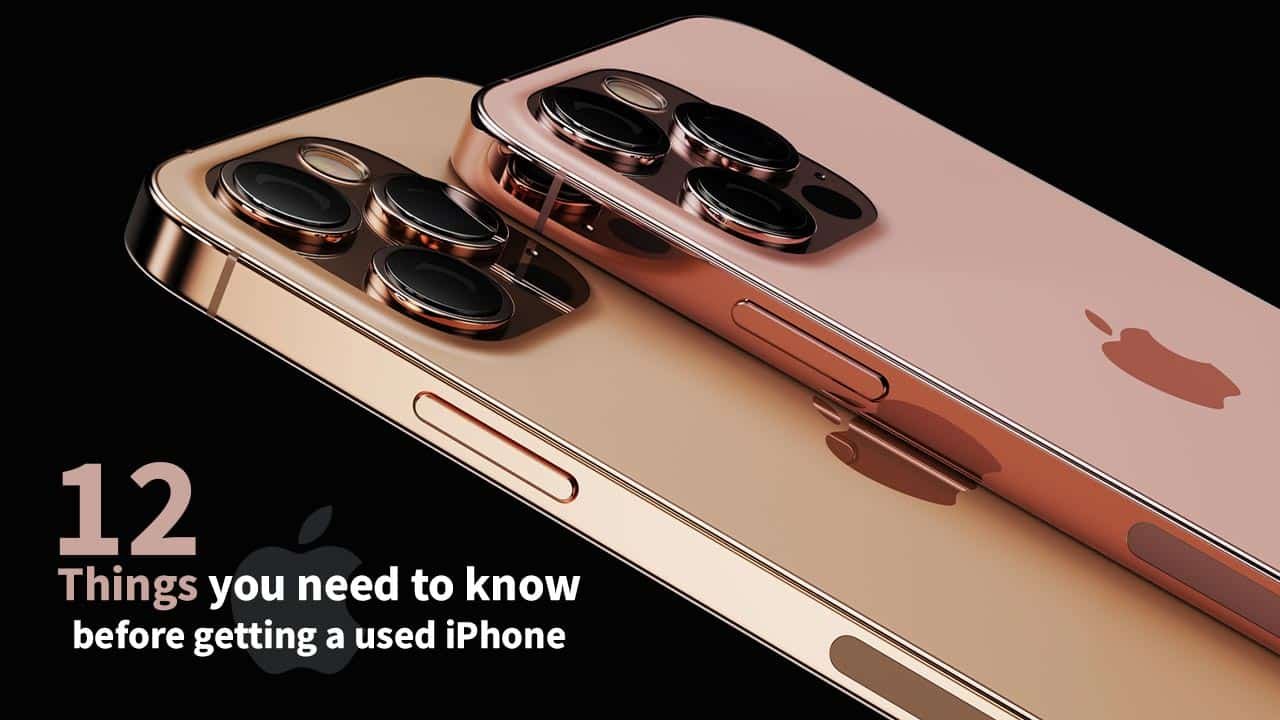
  • 12 important things you need to know before buying a used iPhone

    12 important things you need to know before buying a used iPhone

    There are countless loyal iPhone users throughout the world since the Apple iPhone is without a doubt the best flagship phone on the market.

    Users of Apple products are less inclined to switch to another brand since they are accustomed to its pristine interface, superior quality, and astounding performance.

    Due to the fact that iPhones are among the most expensive cellphones available, some customers opt to purchase used iPhones as they cannot afford a new one.

    If you’re buying the most recent model, there might not be a problem, but if you’re buying an iPhone that is between one and three years old, there are several things you should look into before buying your pricey used iPhone as many of the available used iPhones have been refurbished or repaired due to a fault.

    A layperson can be easily scammed if he is unaware of things he should check before buying. Here are 12 most important things to keep in mind before getting a second hand iPhone:

    Refurbish check

    Look at the “Model Number” entry under Settings > General > About to see if the iPhone is a refurbished model. This number has been refurbished by Apple or a carrier if it begins with an F.

    Repaired or sealed

    The presence of screws or the removal of the paint could indicate that the phone has been fixed, but occasionally repair shops open very carefully and leave no trace at all.

    Screen fitting and allignment

    Check the screen’s edges and all of its sides for gaps, glue stains, or misaligned panels that could indicate that the iPhone’s screen is replaced.

    Spots in LCD

    Try covering the screen with black and white wallpaper and look for any blemishes or shades. Any stains or lines indicate that the screen is damaged, and some small stains may eventually become larger.

    True tone functionality

    Find the ‘True Tone’ option in the control centre by holding the brightness controller down for two seconds or by checking the display settings. The screen panel is original if the True Tone is visible and functional.

    3d touch test

    The iPhone’s 3D touch functionality can be tested by pressing and holding images or apps for two seconds, or by using a live wallpaper.

    Battery Health

    To determine whether the battery health is greater than 80%, go to settings and select battery. If not, the battery needs to be replaced and may require service.

    Check both speakers

    If you plan to purchase an iPhone 7 or higher edition, test the top and bottom speakers by playing some music or a ringtone. Both speakers should be functional while playing any audio.

    Test all camera modes

    Many consumers wind up purchasing an iPhone with a faulty camera. Every camera mode should be tested, especially the portrait mode. If the camera fails to identify objects and keeps taking blurry pictures, it may be damaged.

    Blacklist check

    This is a very crucial point to bear in mind while purchasing from dubious sources. Numerous consumers in Pakistan have fallen victim to scams and purchased blacklisted or software unlocked phones that were misrepresented to them as factory unlocked devices. Before making the purchase, try factory reseting the device.

    Check IMEI on sim tray

    Many individuals do not consider checking the iPhone’s sim tray, despite the fact that it is one of the most crucial things one should check.

    If the IMEI of the phone and the one listed on the sim tray do not match, the original sim tray might not be present since the iPhone may have spent a lot of time in a repair shop.

    Verify PTA compliance

    To check if the device is PTA approved, copy and paste the IMEI number displayed in the settings or dial *#06# and email the IMEI to 8484.

    Read more: Leaks reveal iPhone 14 could be the best model ever

    Additionally, purchasing an iPhone from a store is highly recommended over doing it online.

    Following all these steps, you can find a flawless iPhone and reduce your chance of being scammed.