Tag: ios 16 update

  • Apple to release iOS 16 tomorrow, is your iPhone compatible?

    Apple to release iOS 16 tomorrow, is your iPhone compatible?

    On September 12, the majority of regions are likely to receive Apple’s newest iOS 16. All compatible devices will be able to update to the most advanced and intelligent operating system created by the Cupertino-based tech giant.

    A deeper intelligence, brand-new tools for personalization, and improved sharing and communication capabilities are all part of iOS 16’s enhancements to the iPhone.

    Compatible iPhones

    These iPhones are compatible with iOS 16:

    iPhone 14, iPhone 14 Plus, iPhone 14 Pro, iPhone 14 Pro Max

    iPhone 13, iPhone 13 mini, iPhone 13 Pro, iPhone 13 Pro Max

    iPhone 12, iPhone 12 mini, iPhone 12 Pro, iPhone 12 Pro Max

    iPhone 11, iPhone 11 Pro, iPhone 11 Pro Max

    iPhone XS, iPhone XS Max

    iPhone X, iPhone XR

    iPhone 8, iPhone 8 Plus

    iPhone SE (2nd generation or later)

    Whats new?

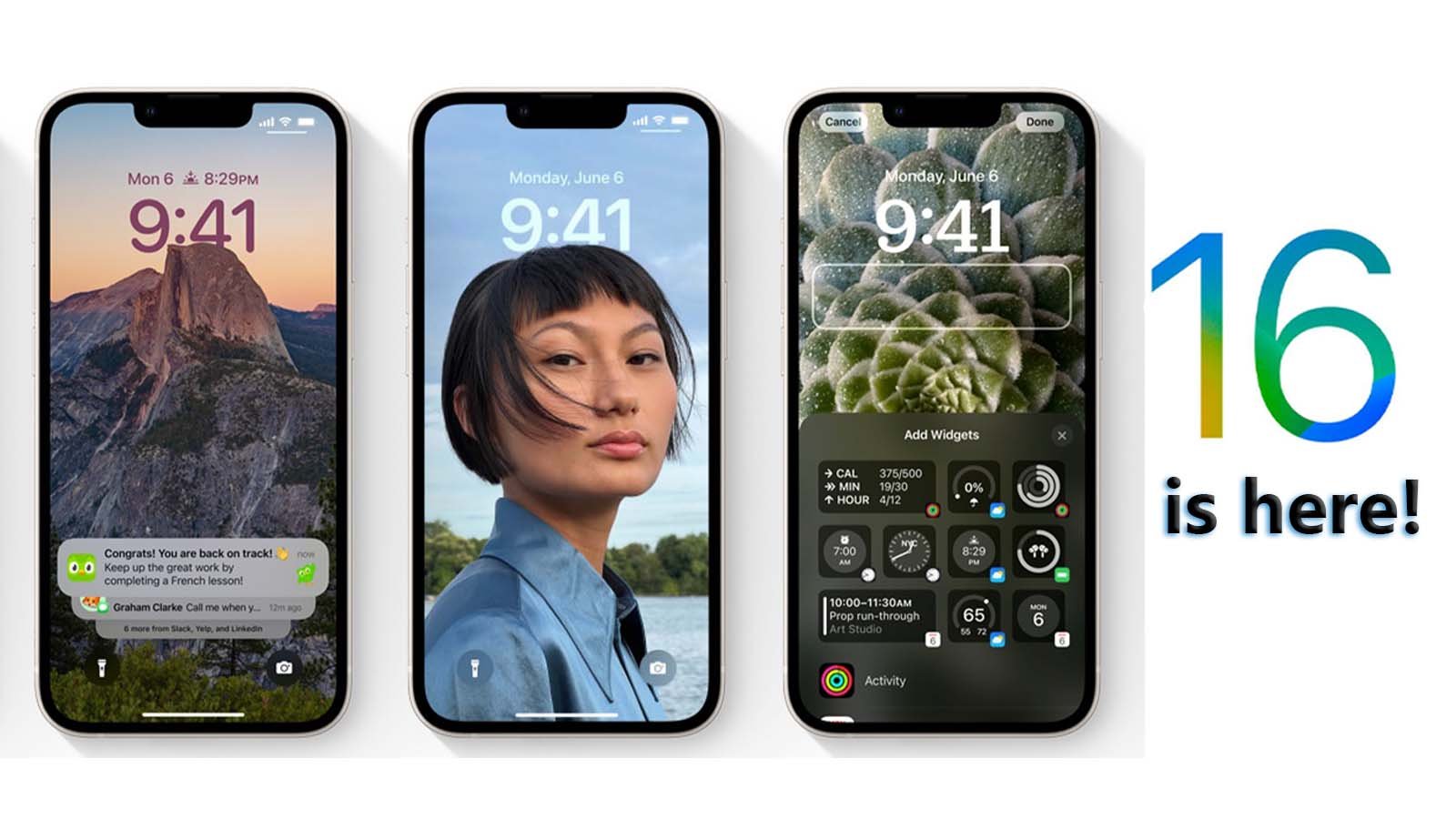
    • With iOS 16, you can now simply switch between various Lock Screens, each with a different background and aesthetic. For ideas, explore a gallery of wallpapers with suggested images and thematic collections.
    • Make your iPhone unique with brand-new ways to customise the Lock Screen. Highlight favourite images, alter font styles, and put up a few widgets to access information quickly.
    • View notifications in a concealed view, stacked view, or extended list view on the lock screen. Additionally, alerts are hidden by appearing at the bottom of the screen.
    • You can now make changes to a recently sent message or decide not to send it at all. Additionally, if you are unable to react right away but want to do so later, you can mark a message as unread.
    • The Home app has been completely redesigned to be even more effective and dependable. Utilize the newly designed Home tab to navigate all of your smart home accessories. You can now access the necessary accessories with just a tap thanks to new sections for climate, lights, security, and more. Additionally, a multicamera view places your smart home cameras in the spotlight.
    • Real-time transcription of audio into text makes it simpler to follow conversations and news.

    How to update to iOS 16?

    Make sure your device is plugged in and connected to the Internet with Wi-Fi. Then follow these steps:

    Go to Settings > General > Software Update.

    You may see software update options available. You can choose to stay on iOS and still get important security updates.

    To update to iOS 16 click on the patch available and tap Install Now.
  • Apple wraps up iOS 16 development ahead of iPhone 14 event next month

    Apple wraps up iOS 16 development ahead of iPhone 14 event next month

    Apple engineers finished creating the first iteration of iOS 16 last week. This indicates that Apple will concentrate on fixing bugs in the last few weeks rather than adding any significant new features or modifications to the operating system.

    Mark Gurman of Bloomberg reaffirmed in the most recent issue of his “Power On” newsletter that the release of iOS 16 and watchOS 9 together with the new iPhone 14 and Apple Watch Series 8 models is scheduled for September, while he anticipates the release of iPadOS 16 and macOS Ventura for October.

    Apple engineers completed work on the iOS 16.0 update this past week, and it will be released in September along with watchOS 9. The new hardware will be compatible with such updates. However, due to Stage Manager-related delays to the iPad software, the updates to macOS Ventura and iPadOS are now planned for October to coincide with the new hardware lineup, said Gurman.

    A configurable Lock Screen with widgets, the option to temporarily modify or unsend an iMessage, iCloud Shared Photo Library for sharing photos with family and friends, a redesigned Home app, and other features are among the major new features in iOS 16. On the majority of iPhones with a notch, Apple also reintroduced a battery % indication in the status bar.

    The most recent public beta of iOS 16 from Apple has a new icon for the battery percentage. This makes determining the remaining battery life on an iPhone with Face ID easier: On the upper right of the display, inside the battery symbol, is the remaining percentage. Up until now, Face ID iPhones lacked a battery indicator, so you had to visit Control Center to see how much power was left in your device.

    Especially if you have an iPhone with Face ID, one of the things you look at the most on your iPhone is the lock screen. The lock screen on the iPhone has undergone the biggest overhaul to date with iOS 16. Hold down the button to change your lock screen.

    To test out numerous different looks, swipe. Each design modifies the typography and colour filter for the lock screen backdrop photo in order to make everything blend together. Similar to Google’s Material You, which debuted with Android 12, this has an Apple vibe to it.

    Visual Look Up in iOS 15 can analyse your photographs and recognise objects like plants and animals. In contrast, iOS 16 enhances this feature. You can remove a photo’s subject from the background and add it to applications like Messages by touching it.

    In essence, it’s a tap-and-hold tool that gets rid of the background of a picture. Although Apple occasionally overuses the word “magic” for this feature.