Tag: IOS

  • YouTube rolls out new design with better features

    YouTube rolls out new design with better features

    A new look, a pinch-to-zoom function, precise seeking, new buttons, ambient mode, and a dark option that is “much darker” are all part of YouTube’s interface update unveiled on Monday.

    The changes will be gradually rolled out to all users.

    Users of iOS and Android devices may zoom in on videos on YouTube using the new pinch-to-zoom function to see additional information. In August, Premium members had access to this functionality as a test.

    Users will be able to quickly locate a certain segment in a video with precise seeking. Users can drag the cursor or slide up on the video to see a row of thumbnails on both desktop and mobile devices. Users can utilise this to locate the precise place in the video they need to revisit.

    The new version of YouTube includes a feature called “ambient mode” that uses “dynamic colour sampling” to match the background colour of the app to the colours in the video being watched. In the official blog post, YouTube’s UX Director Nate Koechley wrote.

    According to what we gather, the new impact is extremely modest and only intended for aesthetics. The idea is to engage the audience and draw attention to our watch page, Koechley continued.

    With YouTube’s dark theme, ambient mode will be accessible on both desktop and mobile devices. Additionally, video playlists will have it available.

    New buttons under videos are among the extra modifications. We will soon see buttons in place of video links in the video description, reducing distractions. Furthermore getting updated and exhibited in a smaller size are the like, share, and subscribe buttons.


  • Exclusive: Apple user or Samsung loyalist? What phone does PM Shehbaz use?

    Exclusive: Apple user or Samsung loyalist? What phone does PM Shehbaz use?

    Android or iOS—which one is better? We have heard this never-ending debate many times. Now, the debate has turned towards the power corridors of Islamabad. The question being asked on social media is, what phone does our Prime Minister (PM) Shehbaz Sharif use?

    Earlier in the day, PM’s Focal Person on Digital Media, Muhammad Abubakar Umer, shared a video of the Premier who was sitting with United Nations (UN) Chief Antonio Guterres. They both visited the flood-affected areas of Sindh.

    In the video, PM Shehbaz pulled out his phone which appears to be an iPhone 7.

    Abubakar has also mentioned the model of the phone in the caption. He said, “PM Shehbaz doesn’t normally carry/use his mobile phone in public. This is probably the first time he pulled out his phone during a meeting—to show a flood-related video to UN Secretary-General— and guess what? It’s not iPhone 14, not even X or 9. It looks more like iPhone 7.”

    Upon asking the reason behind PM not upgrading his phone, Abubakar told The Current, “He [PM Shehbaz] uses the phone only for necessary functions and not for entertainment or luxury. He would use the phone as long it serves the basic purpose of call or text and sometimes video message or call.”

    The focal person also revealed that when he met PM Shehbaz back in 2011 he [PM] was carrying a phone that “looked like Nokia 3310”. He said that it was a very “basic” phone.

    “PM has all the resources to afford a new phone but he is doing great even without keeping up with the latest phone models”, he added.

  • WhatsApp now lets you hide profile photo, last seen from specific contacts

    WhatsApp now lets you hide profile photo, last seen from specific contacts

    Last year, the Meta-owned messaging platform WhatsApp began developing a new privacy setting that would allow users to hide their profile photos, last seen, and about information from specific people in their contact lists.

    It was only available for beta version users, but the company has now announced that it will be accessible to all iPhone and Android users worldwide.

    Users can now show their WhatsApp profile photo, last seen, and About information to anyone in their contacts list except those they choose to keep out.

    Previously, users could choose between three privacy settings for their profile photo, last seen, and About information: Everyone, My Contacts, and Nobody. According to GSM Arena, these are met by a third alternative named ‘My contacts except…,’ which can also be used for Status privacy.

    However, just like read receipts, if someone doesn’t share their last seen with others, they won’t be able to see others. The only difference is that the latter will always remain operational for group chats, even if they’ve turned it off.

    To test this new privacy control, users can go to WhatsApp’s Settings > Account > Privacy menu on an iPhone or Android device.

    WhatsApp also announced some group calling features, including the ability to mute others during a group call and send messages to particular users, in addition to new privacy control. When someone joins a group call off-screen, a banner appears.

    The latest WhatsApp beta update also includes an admin approval feature, which allows group admins to accept or deny requests from people who want to join via hyperlink.

  • Emoji reactions for Whatsapp messages coming soon

    Emoji reactions for Whatsapp messages coming soon

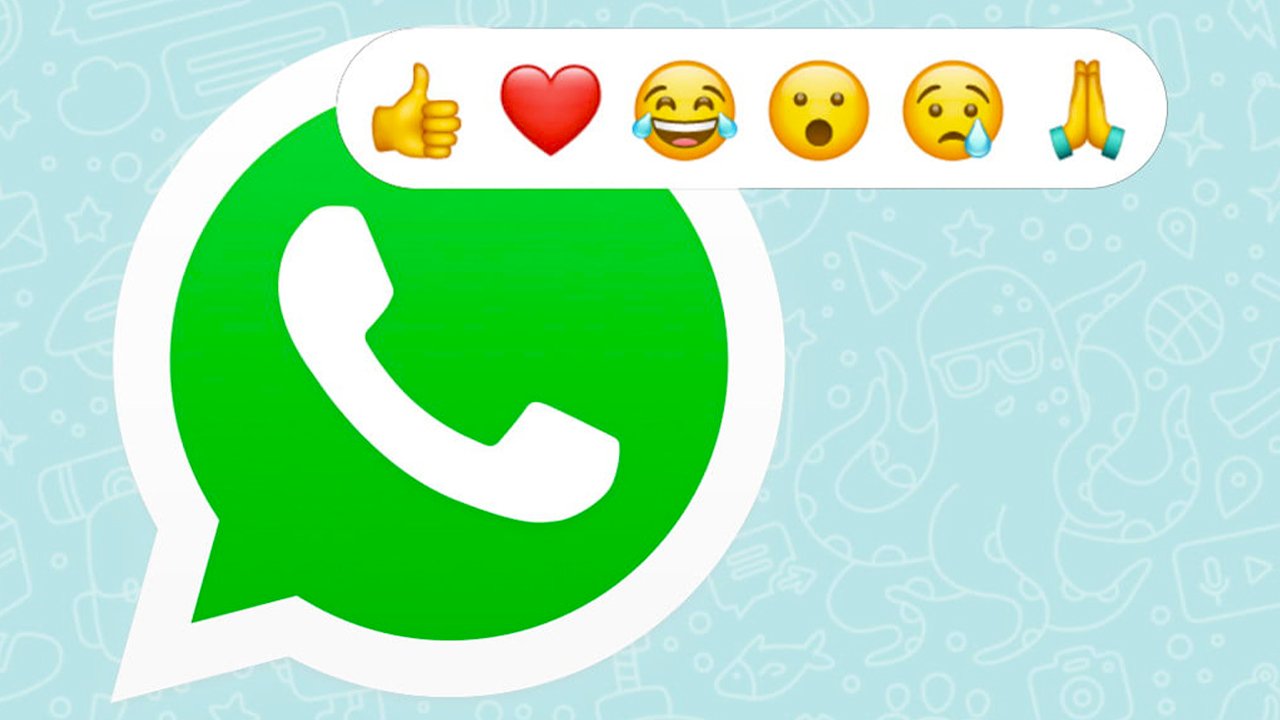
    The Meta-owned Whatsapp is currently testing an ‘emoji react’ feature, initially in the Beta version for android devices. As per a credible resource, reaction Emojis have already started to appear in the Beta application for developers or users to test it.

    In the Beta version, holding a received message allows users to react with one of six Emojis which comprises: thumbs up, crying, laughter, love, shocked face, and folded hands as an alternative of saying ‘thanks’.

    It seems like the most popular messenger with billions of users will be rolling out the feature on Android phones in the first phase. However, there is no official date announced by Meta regarding its introduction but the testing pace says it all.

    The new feature will significantly enhance its usability, letting users immediately respond to messages instead of accessing the keyboard every time.

    Besides the ongoing testing for Android devices, there are signs that the emoji reactions are also on the way for iOS devices. A few months ago, the iOS Beta version was upgraded with a feature that consisted of a toggle to enable or disable reaction notifications.

    Previously a number of messaging and social media platforms have introduced emoji reactions including Instagram, Facebook Messenger, Google Messages, iMessage, and most surprisingly the Twitter DMs.

  • Facebook will now ask iOS users to allow data tracking for ‘better ads experience’

    Facebook will now ask iOS users to allow data tracking for ‘better ads experience’

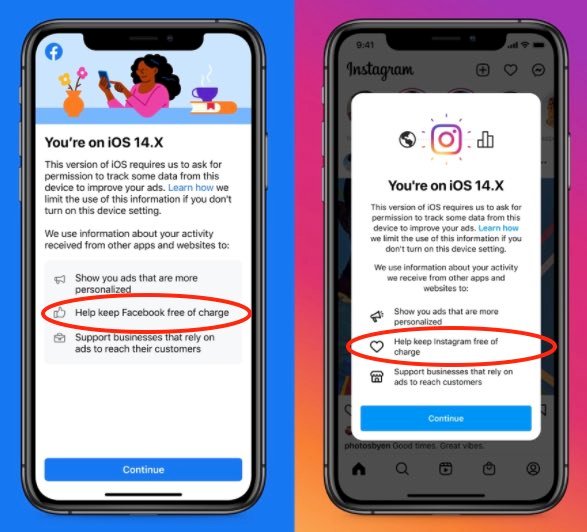
    As per details, Facebook has started urging iPhone and iPad users to allow data tracking. The social media giant said that users should allow this for a better and personalized ads experience.

    Apple recently decided to ramp up privacy of its users, and gave users an option if they want to allow social media applications to track their data.

    Both companies are in some sort of war with each other, a war that has been raging for more than one decade now.

    The founder and CEO of Facebook Mark Zuckerberg recently termed Apple Inc. as the biggest competitor, and he said that the new privacy policy of Apple will cause “damage to the business of millions of users.”

    The very next day CEO of Apple Tim Cook, during a data privacy conference in Brussels, said: “If a business is built on misleading users, on data exploitation, on choices that are no choices at all, it does not deserve our praise. It deserves reforms.”

    The battle focuses on a unique device identifier on every iPhone and iPad called the Identifier for Advertisers (IDFA). Companies that sell mobile advertisements, including Facebook, use this ID to help target ads and estimate their effectiveness.

    With the latest iOS 14 update, each app that wants to use the tracker will have to seek permission from the user. Consequently, it will make the mobiles ads less effective.

    Facebook has already started warning investors that these changes will affect the business, and now the company is testing the effects of the new updates.

    Besides, form today when users will open the app, they will see a message box that will tell users why they must allow Facebook to track their data.

    “Allow Facebook to use your app and website activity?” and claims that Facebook uses that information to “provide a better ads experience.” It will then offer users a choice between “Don’t Allow” and “Allow.”

    No matter which selection users make on the Facebook prompt, if they choose not to allow tracking on the Apple pop-up, that choice will be final, and Facebook will honour it.

  • How to manage ‘annoying’ cellphone notifications

    How to manage ‘annoying’ cellphone notifications

    Apps and websites regularly push alerts to your devices. Though they are sometimes useful, in most cases they are annoying and unwanted. Here’s what you do to get rid of this once and for all.

    Early Decision

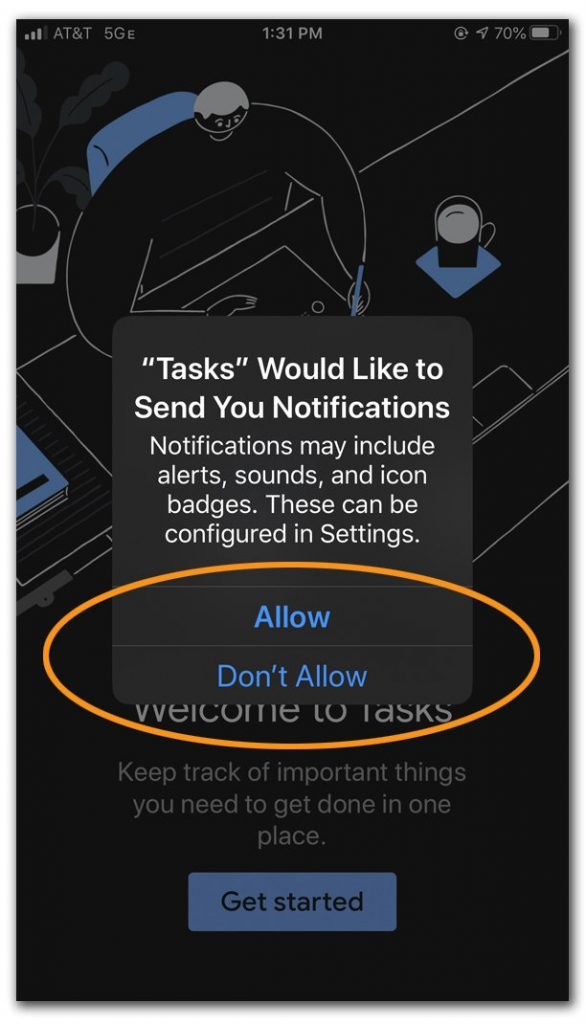
    The first time you open a newly downloaded app, it may ask for permission to send you notifications. You can say no. Alerts from apps like weather or local news media can be important but most e-commerce apps only send unnecessary coupon alerts in unlimited numbers. These notifications are not personalised and consequently, you feel like you’re running a grocery store.

    Opting out here does not mean you can never get those notifications. Later, if you decide you really want those alerts, you can always enable them in your system settings for notification alert. Here is how you can do it:

    Configure your smartphone settings

    For Android

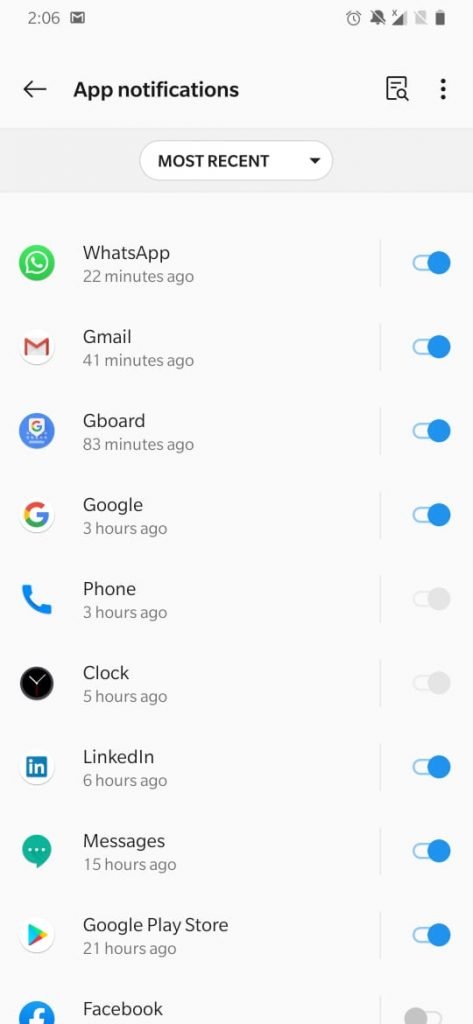
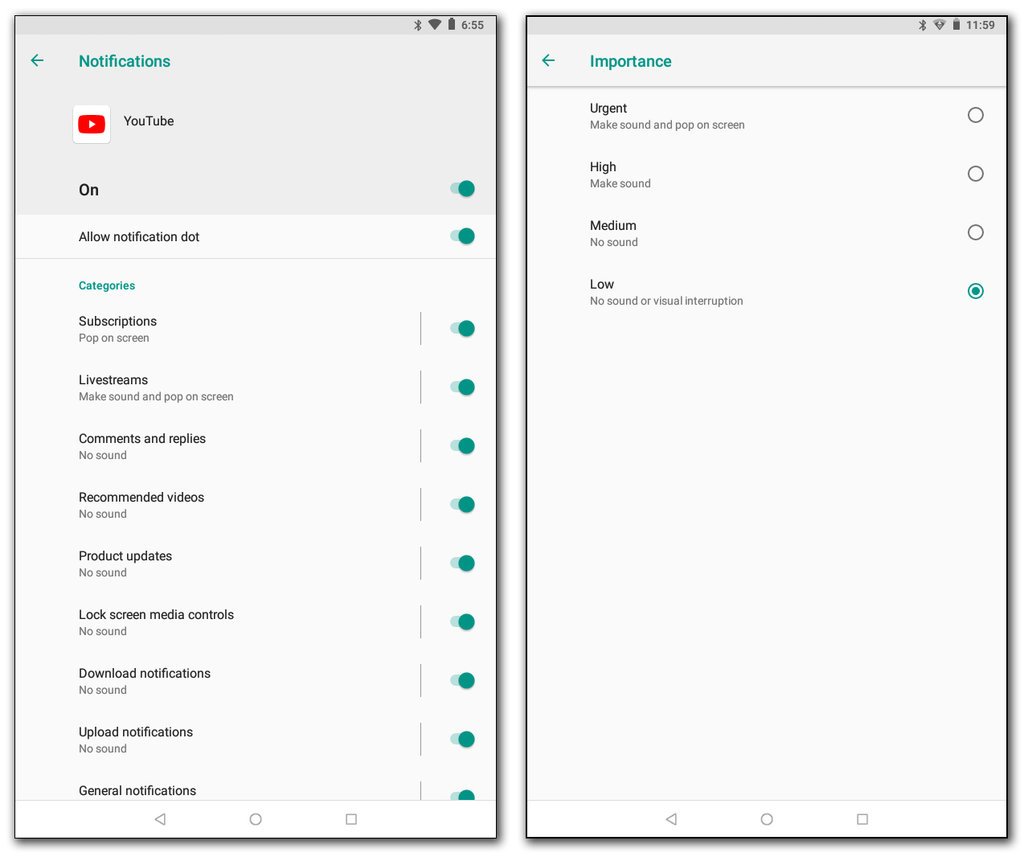
    Some apps may have notification controls in their own settings, but you can also manage alerts in your device’s Settings section. Just look for “Notifications” or “Apps & Notifications.” In the Notification settings, look for a list of apps and select the one you want to change.

    In some situations, a user wants more personalization so in that case, you can tweak your apps by further digging into the settings as shown below.

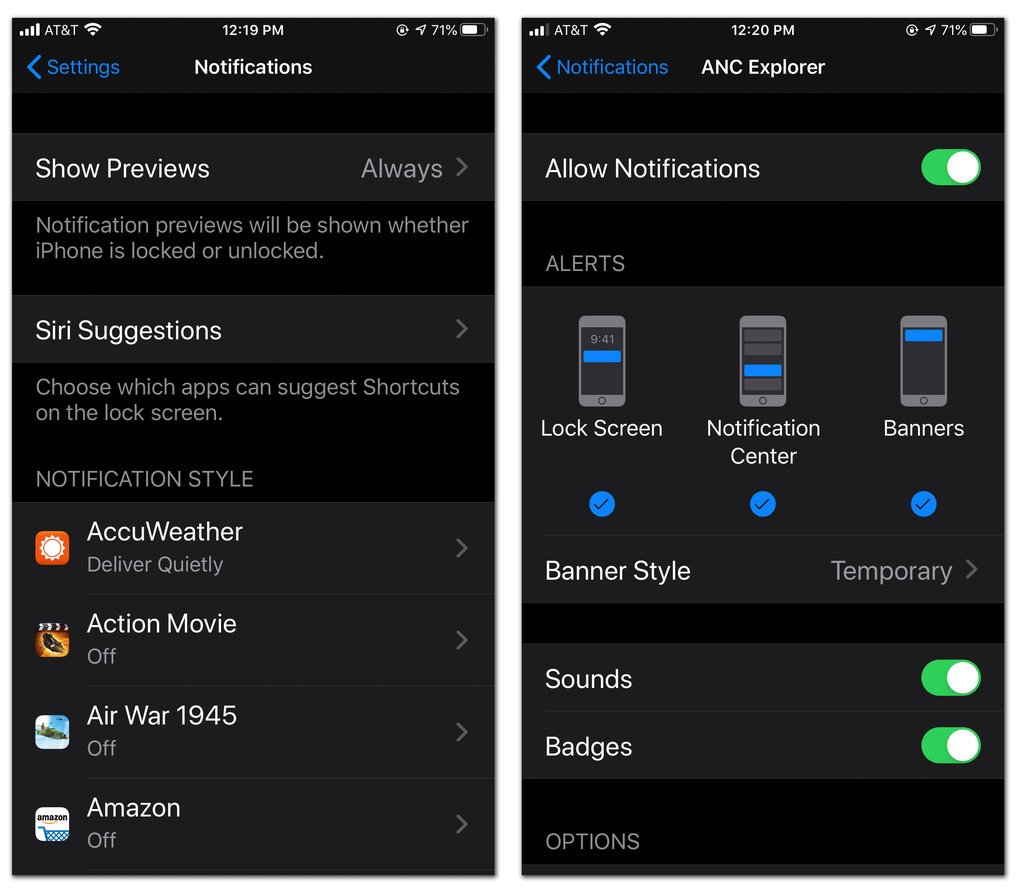
    For IOS Apple

    In IOS 13 (mobile operating software for iPhone, tap the button at the top of an app’s settings screen to allow or disable notifications. If you decide to keep the notification on, you can adjust where and how it appears on your device. If you don’t want a banner alert popping up on the lock screen, you can downgrade it directly to the IOS Notification Center area so you can browse all your updates at once later on.

    By utilizing these settings, if not completely, then to a great extend your problem with notification bombardment would be curtailed.

  • WhatsApp will not operate on outdated smartphones, Here is why

    WhatsApp will not operate on outdated smartphones, Here is why

    Millions of Android and iPhone devices with an outdated operating system (Andriod or IOS) will no longer be able to run WhatsApp, the app owned by Facebook, BBC reported on Saturday. WhatsApp as saying the move is important to protect the security of its users. 

    Smartphones with Andriod version 2.3.7 and older, and iPhone IOS 8 and older, would be affected by the update, said the report. Most users would be able to update their operating systems in order to continue using the services of WhatsApp.

    “WhatsApp clearly had no option but to ensure its services remain secure; however it faces the difficult side-effect that the app is no longer compatible with older smartphones,” said CSS (tech research company) insight analyst Ben Wood.

    A spokesperson for the messaging platform said: “This was a tough decision for us to make, but the right one in order to give people better ways to keep in touch with friends, family, and loved ones using WhatsApp.”

    This is the latest in a series of moves after the app withdrew support for numerous devices in 2016, and then from all Windows phones on the last day of last year.