Tag: iPhone 12

  • iPhone 12 sales temporarily stopped in France

    iPhone 12 sales temporarily stopped in France

    This week, Apple revealed the iPhone 15 and iPhone 15 Pro, however, only a few hours later, France announced a temporary stop on iPhone 12 sales in the country.

    France’s radiation watchdog (ANFR) released a public statement highlighting that iPhone 12 violates radiation levels, bringing this to Apple’s attention and calling for a halt on sales for iPhone 12 and provide a solution.

    “The French National Frequencies Agency (ANFR) is instructing Apple to withdraw the iPhone 12 from the French market as of September 12, 2023, after the Specific Absorption Rate (SAR) limit for this model was exceeded,” the French agency wrote in a statement. “ANFR enjoins Apple to implement all available means to rapidly remedy this malfunction. Failing this, Apple will be required to recall any units already sold.”

    According to TechCruch, this is not a big deal for a business as Apple can “roll out a software update to fix the issue”.

    It has been noted that France’s junior minister for telecommunications Jean-Noël Barrot giving an interview to Le Parisien regarding the matter is “interesting”.

    According to Next INpact, it is not new for ANFR to identify a device with a concern regarding radiation levels. It could be that the French minister is “using this opportunity to start a media campaign”.

    Moreover, as TechCrunch highlighted, Apple told Reuters and the AFP that the iPhone 12 has been deemed as compliant by international regulators. Also, it has “independent third-party lab results that show that it complies with all SAR standards around the world. The company plans to both contest the ANFR’s results and engage with the agency to find a way forward.”

  • Thai organ donation center warns that selling kidneys to get an iPhone 14 is ‘unethical’

    Thai organ donation center warns that selling kidneys to get an iPhone 14 is ‘unethical’

    A meme claiming that three people with bloodied bandages on their abdomens sold their kidneys to purchase the latest Apple iPhone 14 has been condemned by a Thai doctor.

    The executive director of the Thai Red Cross Organ Donation Center, Dr Sophon Mekthon, issued a warning about the illegality of organ trading in Thailand and denounced the meme that had been going around since it appeared on Thai social media over the weekend.

    iPhone 14 kidney donation meme

    “There is no organ trading. That is prohibited,” Mekthon said. “It is inappropriate to suggest selling organs, especially to get money to buy an iPhone. It is morally wrong and unethical.”

    According to reports, the image came from a Vietnamese beauty parlour with a Laos base. It has subsequently been removed.

    The image showed three persons with their abdomens exposed and bandaged, suggesting that each of them had sold one of their kidneys to pay for an iPhone 14.

    Read more: iPhone 14 Pro Max 1TB available for nearly Rs7 lac

    The meme was allegedly taken as a joke in Laos, but when it appeared on social media on Saturday, users in Thailand took the image seriously. The joke and the message it conveys to young people have drawn criticism from several commenters.

    A Chinese guy who sold his kidney in 2011 to purchase an iPhone 4 was later diagnosed with serious organ failure, according to a similar case that surfaced in 2019.

  • Apple to release iOS 16 tomorrow, is your iPhone compatible?

    Apple to release iOS 16 tomorrow, is your iPhone compatible?

    On September 12, the majority of regions are likely to receive Apple’s newest iOS 16. All compatible devices will be able to update to the most advanced and intelligent operating system created by the Cupertino-based tech giant.

    A deeper intelligence, brand-new tools for personalization, and improved sharing and communication capabilities are all part of iOS 16’s enhancements to the iPhone.

    Compatible iPhones

    These iPhones are compatible with iOS 16:

    iPhone 14, iPhone 14 Plus, iPhone 14 Pro, iPhone 14 Pro Max

    iPhone 13, iPhone 13 mini, iPhone 13 Pro, iPhone 13 Pro Max

    iPhone 12, iPhone 12 mini, iPhone 12 Pro, iPhone 12 Pro Max

    iPhone 11, iPhone 11 Pro, iPhone 11 Pro Max

    iPhone XS, iPhone XS Max

    iPhone X, iPhone XR

    iPhone 8, iPhone 8 Plus

    iPhone SE (2nd generation or later)

    Whats new?

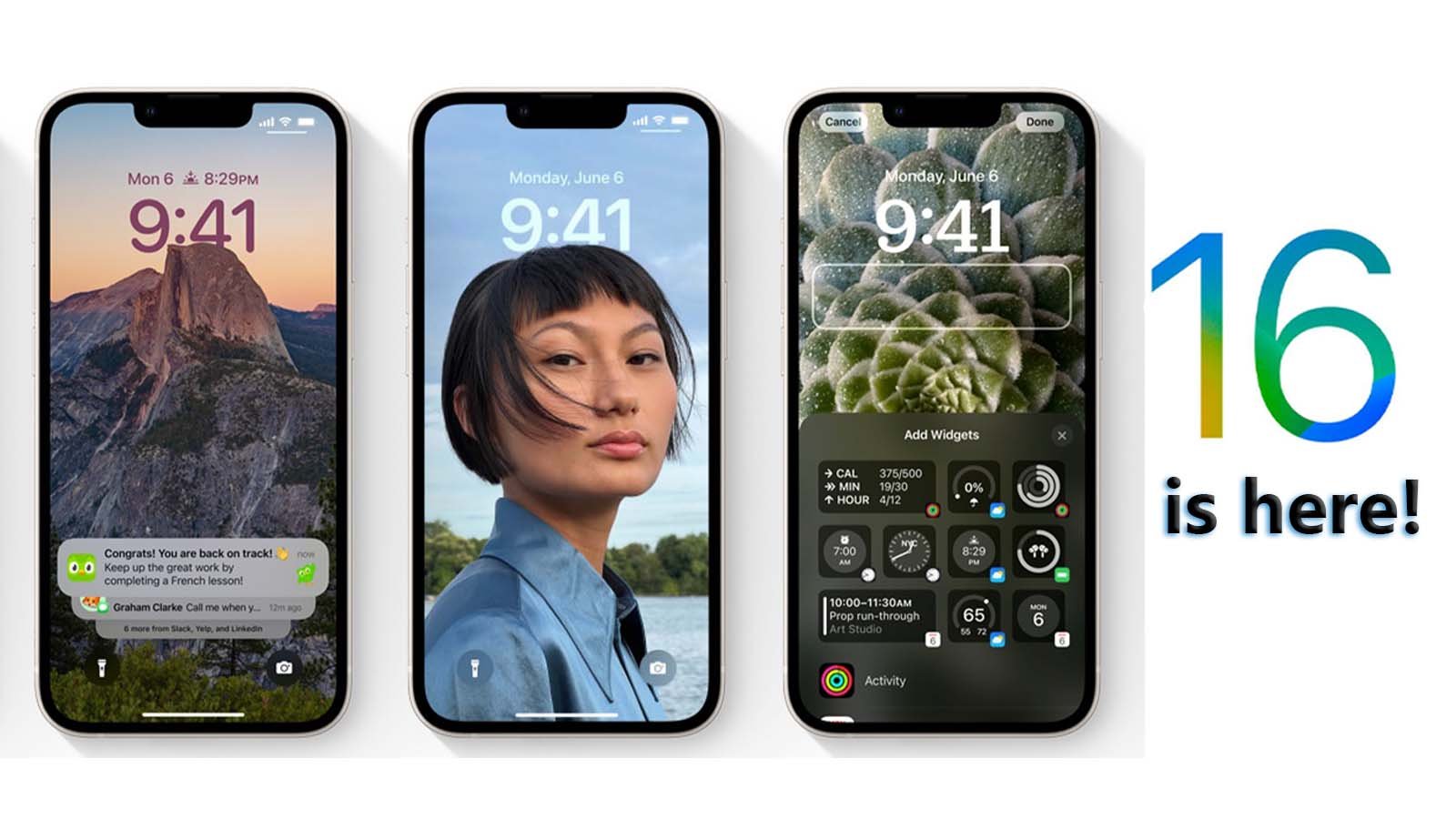
    • With iOS 16, you can now simply switch between various Lock Screens, each with a different background and aesthetic. For ideas, explore a gallery of wallpapers with suggested images and thematic collections.
    • Make your iPhone unique with brand-new ways to customise the Lock Screen. Highlight favourite images, alter font styles, and put up a few widgets to access information quickly.
    • View notifications in a concealed view, stacked view, or extended list view on the lock screen. Additionally, alerts are hidden by appearing at the bottom of the screen.
    • You can now make changes to a recently sent message or decide not to send it at all. Additionally, if you are unable to react right away but want to do so later, you can mark a message as unread.
    • The Home app has been completely redesigned to be even more effective and dependable. Utilize the newly designed Home tab to navigate all of your smart home accessories. You can now access the necessary accessories with just a tap thanks to new sections for climate, lights, security, and more. Additionally, a multicamera view places your smart home cameras in the spotlight.
    • Real-time transcription of audio into text makes it simpler to follow conversations and news.

    How to update to iOS 16?

    Make sure your device is plugged in and connected to the Internet with Wi-Fi. Then follow these steps:

    Go to Settings > General > Software Update.

    You may see software update options available. You can choose to stay on iOS and still get important security updates.

    To update to iOS 16 click on the patch available and tap Install Now.

  • Here’s how to maintain iPhone’s battery health and charge faster

    Here’s how to maintain iPhone’s battery health and charge faster

    Although using a wall charger is the simplest way of charging a phone, there are a variety of other methods that might be either better or worse. The answer largely relies on the type of charger you use, the location where you charge it, and the settings and features you have enabled or disabled on your phone.

    These tips and methods will help you charge your iPhone effectively and efficiently so that it charges more quickly than previously. If you need to charge your iPhone faster and save your battery health, there are a few things you must know.

    How to charge faster

    A fast charger, which consists of a 20-watt power adapter and a USB-C to Lightning connector, is the quickest way to charge your iPhone. You can quickly charge your phone from zero to roughly 50 per cent battery in about 30 minutes if you have an iPhone 8 or later. You can fully charge it if you have an hour to spare.

    If you’re pressed for time, always use the fast charger since it can increase your battery by double digits with just 10 minutes of fast charging.

    Only the cable is now included when you purchase a new phone from Apple. However, you can still buy the company’s 20-watt power adapter from either Apple or online stores. Apple claims that other fast-charging power bricks are also compatible, although an iPhone 12 and later cannot be fast-charged without at least a 20-watt power brick.

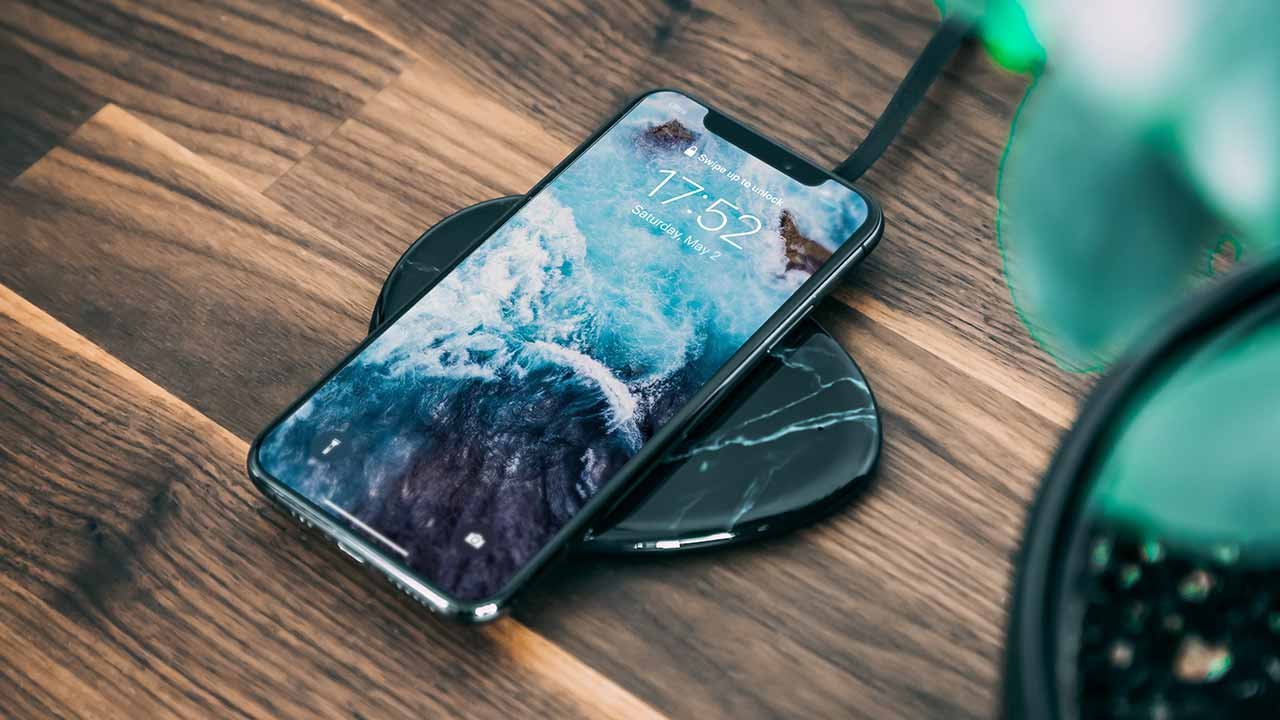
    Another way to charge your iPhone is using Apple’s MagSafe charger and a 20-watt power supply, but in order to take advantage of the faster 15-watt wireless charging, you must possess either an iPhone 12 or an iPhone 13. If your iPhone is dead, wireless charging should restore it to roughly 30 per cent battery in about 30 minutes.

    How to maintain iPhone’s battery health

    Charge at cooler places

    Batteries made of lithium-ion material are vulnerable to high temperatures. Apple has also disclosed the acceptable temperature range for iOS devices’ comfort zones.

    The suggested operating range is from 32°F to 95°F (0°C to 35°C). However, it is not practically feasible because many locations have temperatures that are far higher than the acceptable operating range. Therefore, to keep your phone warm, you may either use thick cases or keep it out of the sun on a hot day.

    Additionally, because it raises room temperature, avoid leaving your iPhone in enclosed areas with little airflow, such as vehicles. Many individuals leave their phones in the glove box or other hot areas of their vehicles, which elevates the temperature of the device. 

    Simply said, heat kills batteries because it permanently reduces their capacity. Extreme cold momentarily compromises the health of the battery.

    Please make sure to charge your iPhone in “comfortable temperature zones” as charging in high ambient temperatures is not advised.

    Do not let iPhone overheat

    Heat destroys batteries, as was previously indicated. Consequently, watch out that your iPhone doesn’t get too hot while it’s charging. Apple claims that unlike extreme cold conditions, which only temporarily lowers battery capacity, heat permanently damages battery capacity.

    The chemicals in the battery’s interior structure may alter due to heat, which could further harm the voltage indication. A malfunctioning voltage indication won’t be able to regulate the current flow to prevent overcharging of the iPhone, which will lead to battery and iPhone damage.

    Use original or certified chargers only 

    The use of charging accessories that are not approved by Apple is one of the most frequent causes of poor iPhone battery health. Always check to see if the adapter and charging cord are MFi approved.

    Made for iPod, Made for iPhone, and Made for iPad are together referred to as MFi. Apple only allows businesses to use the MFi branding on their products once they pass the company’s strict device and facility tests. Therefore, be sure to carefully check the charging accessories for the MFi logo.

    A tiny authentication chip, for instance, is present in each lighting cable adaptor and notifies the iPhone when it is MFi approved. When iPhone discovers a cable that is not MFi approved, it otherwise displays a pop-up.

    Enable Optimised Battery Charging

    With iOS 13, optimized battery charging was added, extending the life of your battery and enhancing its overall health. It makes predictions about when your iPhone will need to be charged for a longer amount of time using machine learning to learn from your everyday charging habits.

    For instance, many people have the practice of overnight charging their iPhones. In order to ensure that the iPhone is fully charged by the time you wake up, the machine learning algorithm will use data from previous charging and unplugging operations. This is done by the algorithm to ensure that the iPhone charges more quickly.

    When the function is activated, the scheduled time by which the iPhone will be fully charged is displayed. To immediately charge it to 100 per cent, select “Charge Now” from the menu.

  • 12 important things you need to know before buying a used iPhone

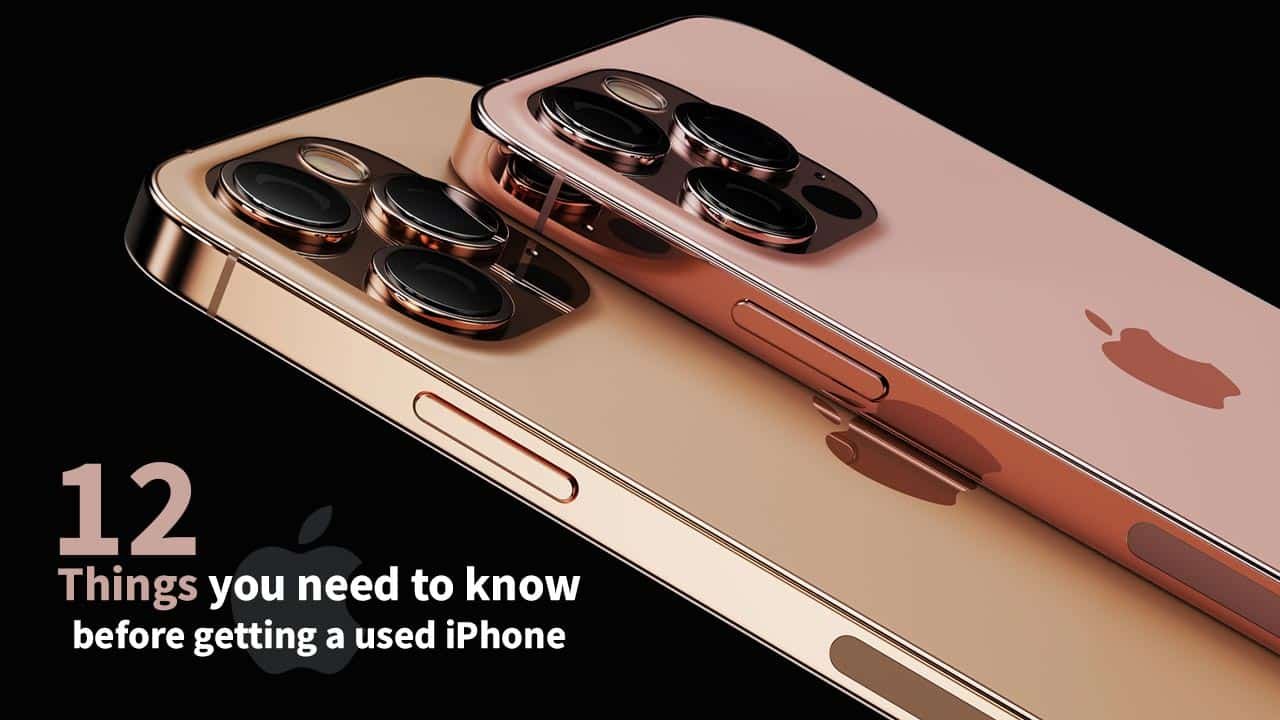
    12 important things you need to know before buying a used iPhone

    There are countless loyal iPhone users throughout the world since the Apple iPhone is without a doubt the best flagship phone on the market.

    Users of Apple products are less inclined to switch to another brand since they are accustomed to its pristine interface, superior quality, and astounding performance.

    Due to the fact that iPhones are among the most expensive cellphones available, some customers opt to purchase used iPhones as they cannot afford a new one.

    If you’re buying the most recent model, there might not be a problem, but if you’re buying an iPhone that is between one and three years old, there are several things you should look into before buying your pricey used iPhone as many of the available used iPhones have been refurbished or repaired due to a fault.

    A layperson can be easily scammed if he is unaware of things he should check before buying. Here are 12 most important things to keep in mind before getting a second hand iPhone:

    Refurbish check

    Look at the “Model Number” entry under Settings > General > About to see if the iPhone is a refurbished model. This number has been refurbished by Apple or a carrier if it begins with an F.

    Repaired or sealed

    The presence of screws or the removal of the paint could indicate that the phone has been fixed, but occasionally repair shops open very carefully and leave no trace at all.

    Screen fitting and allignment

    Check the screen’s edges and all of its sides for gaps, glue stains, or misaligned panels that could indicate that the iPhone’s screen is replaced.

    Spots in LCD

    Try covering the screen with black and white wallpaper and look for any blemishes or shades. Any stains or lines indicate that the screen is damaged, and some small stains may eventually become larger.

    True tone functionality

    Find the ‘True Tone’ option in the control centre by holding the brightness controller down for two seconds or by checking the display settings. The screen panel is original if the True Tone is visible and functional.

    3d touch test

    The iPhone’s 3D touch functionality can be tested by pressing and holding images or apps for two seconds, or by using a live wallpaper.

    Battery Health

    To determine whether the battery health is greater than 80%, go to settings and select battery. If not, the battery needs to be replaced and may require service.

    Check both speakers

    If you plan to purchase an iPhone 7 or higher edition, test the top and bottom speakers by playing some music or a ringtone. Both speakers should be functional while playing any audio.

    Test all camera modes

    Many consumers wind up purchasing an iPhone with a faulty camera. Every camera mode should be tested, especially the portrait mode. If the camera fails to identify objects and keeps taking blurry pictures, it may be damaged.

    Blacklist check

    This is a very crucial point to bear in mind while purchasing from dubious sources. Numerous consumers in Pakistan have fallen victim to scams and purchased blacklisted or software unlocked phones that were misrepresented to them as factory unlocked devices. Before making the purchase, try factory reseting the device.

    Check IMEI on sim tray

    Many individuals do not consider checking the iPhone’s sim tray, despite the fact that it is one of the most crucial things one should check.

    If the IMEI of the phone and the one listed on the sim tray do not match, the original sim tray might not be present since the iPhone may have spent a lot of time in a repair shop.

    Verify PTA compliance

    To check if the device is PTA approved, copy and paste the IMEI number displayed in the settings or dial *#06# and email the IMEI to 8484.

    Read more: Leaks reveal iPhone 14 could be the best model ever

    Additionally, purchasing an iPhone from a store is highly recommended over doing it online.

    Following all these steps, you can find a flawless iPhone and reduce your chance of being scammed.

  • iPhone 14 may feature lock screen display and widgets

    iPhone 14 may feature lock screen display and widgets

    Several rumours are presently circulating the internet about the forthcoming iPhone’s traits and powers. According to some reports, Apple may forego the notch this time around in favour of a larger display.

    As nothing has been confirmed so far, and most predictions are a little overstated, all such leaks should be taken with a pinch of salt.

    There have been no official reports about when the new iPhone will be released. We already know that Apple will host WWDC 2022 on June 6th. It is also expected to release iOS 16, the next major software version for the iPhone.

    It will most likely introduce iOS 16, iPadOS 16, watchOS 9, and macOS 13 at its upcoming event.

    The company hasn’t revealed a date for its fall event, which is usually when the next iPhone is unveiled. Apple usually holds its annual autumn iPhone event in September, with releases following soon after.

    On the first or second of September, Apple usually announces its new iPhones. Last year, the iPhone 13 series made its official premiere on Tuesday, September 14th, with preorders beginning on Friday, September 17th, and the phones going on sale on September 24th.

    Apple’s fall event for the iPhone 14 could take place on Tuesday, September 6, or Tuesday, September 13. Because iPhones normally go on sale for presale on Fridays of the same week.

    iPhones are normally released a week and a half after Apple makes an announcement. Specific model introduction dates are sometimes staggered, especially when introducing a new design or size. As a result, it’s feasible that the iPhone 14 lineup will have multiple release dates.

    For the time being, however, the additional features that these operating systems will bring are unknown. According to a source, Apple may include the ability to include lock screen widgets, support for always-on displays, and much more.

  • Apple to offer subscription-based service for selling iPhone, iPad, MacBook

    With a new subscription-based service, Apple is planning to launch a new method to buy iPhones as well as other Apple gear. Which will allow apple customers to pay a monthly subscription fee and receive an iPhone of their choice, as well as free upgrades when new products are released.

    This plan will differ from Apple’s and carriers’ current installment programmes, as it will be a pre-decided or custom monthly fee plan rather than the cost of the phone divided by 12, 24, and 36 months of installments.

    All applications including Apple Music, Apple TV+, Apple Arcade, iCloud+, Apple News+, and Apple Fitness+ will all be included in the iPhone subscription service, which will be linked to users’ existing Apple ID accounts.

    It may also offer bundle free Apple Care and even Apple One services, such as Apple Music, Apple TV+, Apple Arcade, iCloud+, Apple News+, and Apple Fitness+.

    The new subscription service may start by the end of this year with iPhones and eventually expand to the rest of Apple’s gadgets including iPads, Apple Watch, and the MacBook.

    Subscription-based selling of phones is not entirely new as Google already operates its Pixel Pass program in the US which lets customers choose between the Google Pixel 6 or Pixel 6 Pro offered with Google’s own first-party services at very affordable monthly charges.

  • Beast of a phone: Is iPhone 12 the next one for you?

    Beast of a phone: Is iPhone 12 the next one for you?

    Whenever Apple launches a new iPhone, they integrate new chipsets to improve users’ experience while also enabling them to do things like edit Ultra High Definition (UHD) videos and play graphic-intensive games.

    In the iPhone 12, Apple is expected to further upgrade its features, including cameras, chips and the company’s newest software, iOS 14. Besides, the company is said to have reduced the chipset transistors to the size of only 25 atoms that will pack millions more in the processor. 

    Furthermore, all this will further increase the processing power of the chipset and the handset will also have the fastest 5G wireless connectivity.

    The launching ceremony is on October 13th, and it will be held virtually. Those who are interested can stream the ceremony on Apple’s website.

    Apple’s invite, which often has some clues, this time has an Apple logo inside circles with different hues of blue, orange and red. And there’s a pun, “Hi, Speed.” 

    Apple might also announce new over-ear headphones, AirPods Studio, at the event, driving some people to wonder whether the said circles have to do with audio sounds.

    In 2019, the price of iPhone 11 was $799, iPhone Pro and Pro Max started at $1,099. But according to rumours, the price of the iPhone 12 will largely remain the same.